Static code analysis of Terraform .tf files using ‘Checkov’ — Secure your infrastructure
Hands on shelf! We can all agree that Terraform is great tool for infrastructure creation and provisioning. When we write terraform .tf files for infra creation we might miss something and we add something which can lead to security issues. Security should be prime factor for any devops related use-case.
When I was searching internet for is there any tool which will scan terraform files and give a picture what may go wrong (from security perspective), I came across this very useful tool named ‘Checkov’
Link : https://www.checkov.io/1.Welcome/Quick%20Start.html
Checkov is a static code analysis tool for scanning infrastructure as code (IaC) files for misconfigurations that may lead to security or compliance problems. Checkov includes more than 750 predefined policies to check for common misconfiguration issues.
In this post, I am going to discuss how to do static code analysis of terraform tf files using checkov.
step 1 : Install checkov in your machine.
$ pip install checkov
Link : https://www.checkov.io/2.Basics/Installing%20Checkov.html
while installing checkov , you may face error related to PyYAML package as below
ERROR: Cannot uninstall ‘PyYAML’. It is a distutils installed project and thus we cannot accurately determine which files belong to it which would lead to only a partial uninstall.
In order to resolve this error, you can run below command
$ pip install — ignore-installed PyYAML
[ Install PyYAML using — ignore-installed flag ]
next run ‘pip install checkov’ again
step 2. Configure terraform plan file in json
- Go to your terraform directory where your .tf files are resided
$ cd /< path to your terraform files directory >
Eg : cd /home/tapan/Iac/terraform/ec2.tf
- Run below set of terraform commands
$ terraform init
$ terraform plan — out tfplan.binary
$ terraform show -json tfplan.binary > tfplan.json
- run checkov command on tfplan.json
$ checkov -f tfplan.json
You should see output similar to below


As you see, there are few fail cases, which might be potential threats in future. we can fix it manually or with help of Bridgecrew cloud.
You need to have account with Bridgecrew cloud and along with this you need to integrate your repository with bridgecrew (This is paid service, with 14 days free trial period )
step 1. Login into bridgecrew site
https://www.bridgecrew.cloud/login/signIn (I have logged in using my github account )
step 2 : Authorise bridegcrew to access your github repo. It will scan all the repos listed in your account
step 3 : Select the repo, in which your terraform files are committed. ( I am guessing, you have committed your .tf files in some repo )
step 4. Once bridgecrew successfully scans your repo, you should be able to see in list.

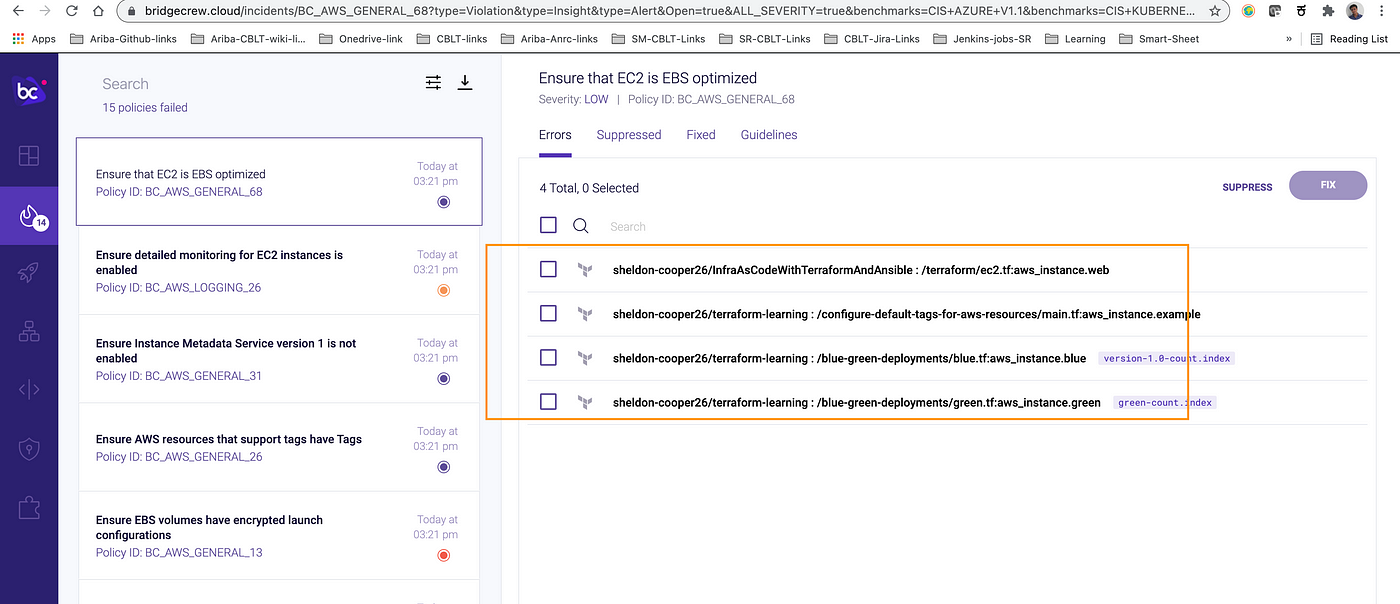
step 5 : Now run checkov command again on your tfplan.json file. All scan results will be captured and showed in bridgecrew dashboard.


step 6 : You can select on ‘Fail’ cases and it will land you in next page where your repo with culprit .tf file details are visible. You can suppress it or fix it by clicking on respective buttons.


step 7 : When you click on ‘Fix’, it will ask you to open fix PR

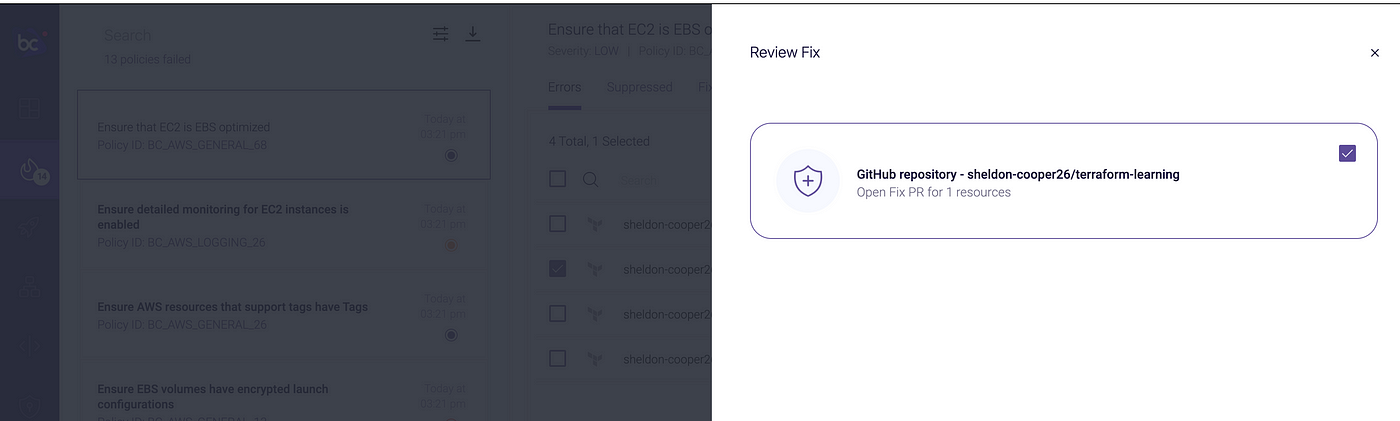
step 8 : Click on ‘Fix’ button at right side button.


This will remediate and PR will be raised under your repo. Review it and if you are okay with changes merge it to respective branch (master branch, in my case)


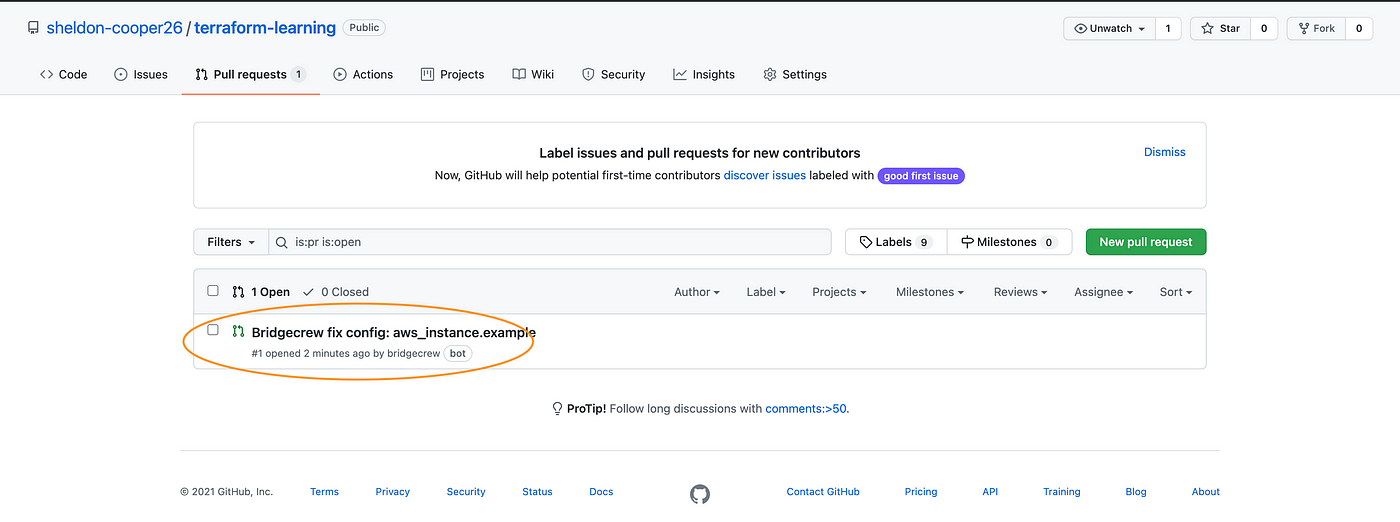


step 8 : Now If you run checkov command again, you should not see this violations and in bridgecrew dashboard count of fail cases should be reduced by 1.


Hope this post might useful in achieving your devops security aspect and thanks for reading!! Happy learning .. :)


Comments
Post a Comment